
New Feature | Venue Page Features
We’re excited to announce a new feature designed to help you gain more exposure and drive traffic back to your photographer profile: venue-based image submissions.
Starting today, when you upload images—whether to your portfolio or as part of a photo contest (also known as a Feature Challenge)—you’ll be able to tag each image with the venue or location where it was captured. Once submitted, these images will automatically appear under the “Submissions” tab on that venue’s profile page with a link back to your profile.
Why Use Venue Page Features
This feature gives your work more visibility on high-traffic venue pages and creates valuable backlinks to your profile. For couples browsing specific venues, it’s a powerful way for them to discover your photography in context—making it more likely they’ll click through and explore your work further.
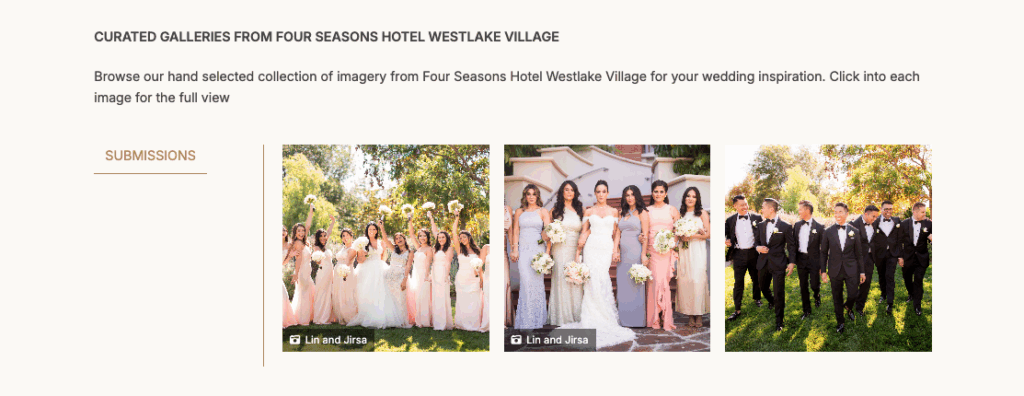
In addition, each of your Feature Challenge submissions now also appears on your profile, giving you even more exposure.
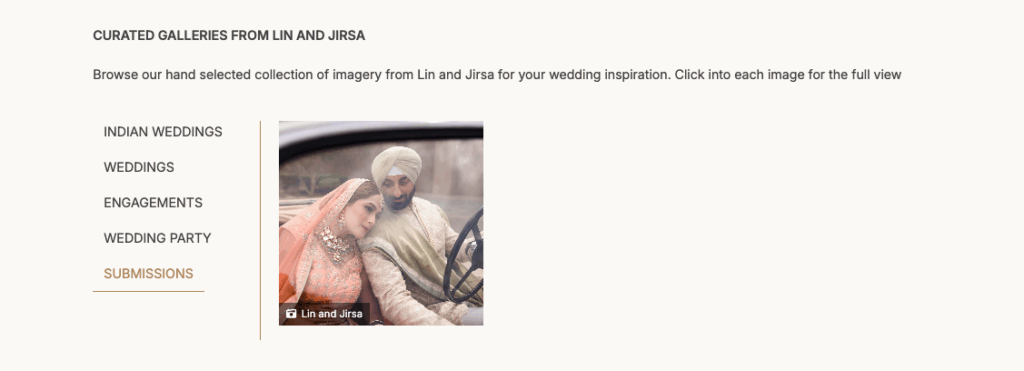
How to Get Venue Page Features
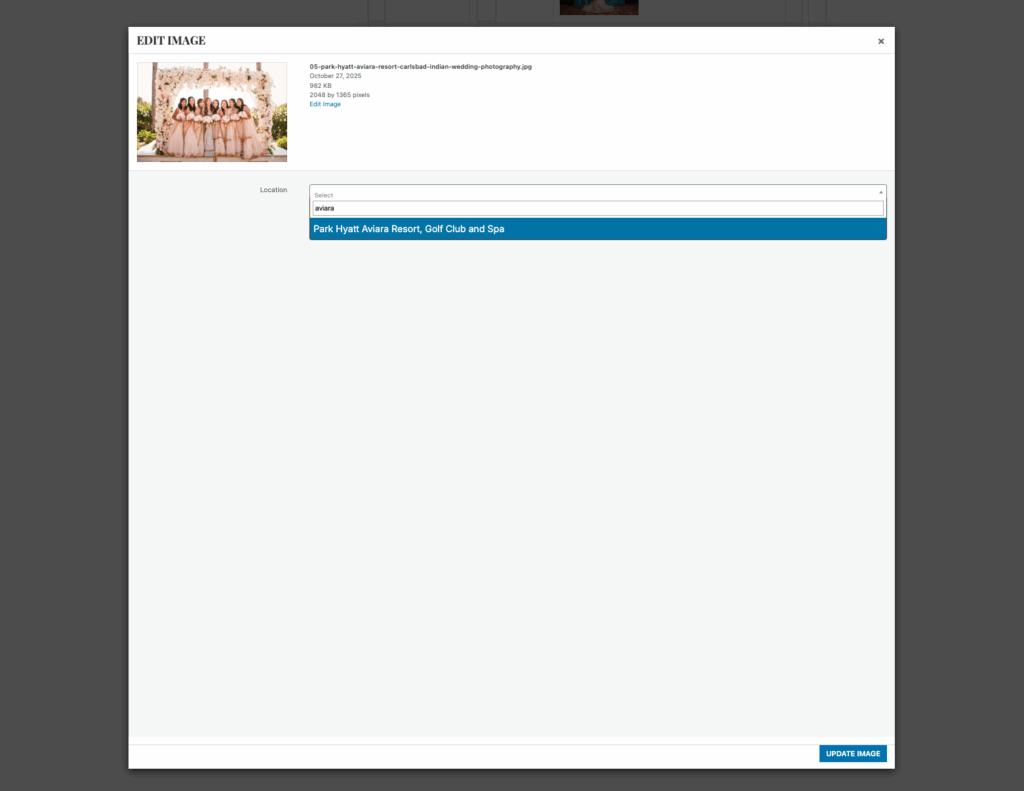
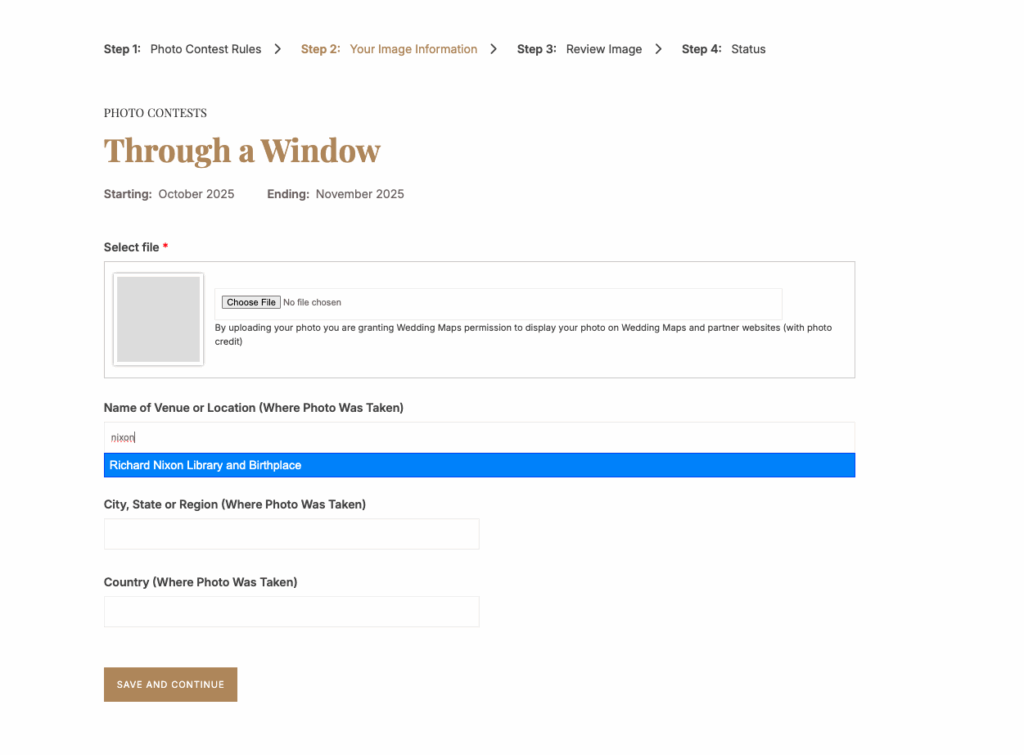
Using the feature is simple: when uploading an image, select the venue or location from the dropdown list or type it in manually. Once saved, the image is instantly linked to that venue’s page, showcasing your work in a place where engaged couples are already looking for inspiration.
Here’s what that looks like with your portfolio images:
Here’s what that looks like with your contest images:
How to Edit or Remove Page Features
To edit or remove the photos you submit to your portfolio, go to your Dashboard and modify the images in your portfolio. You may edit or remove the images.
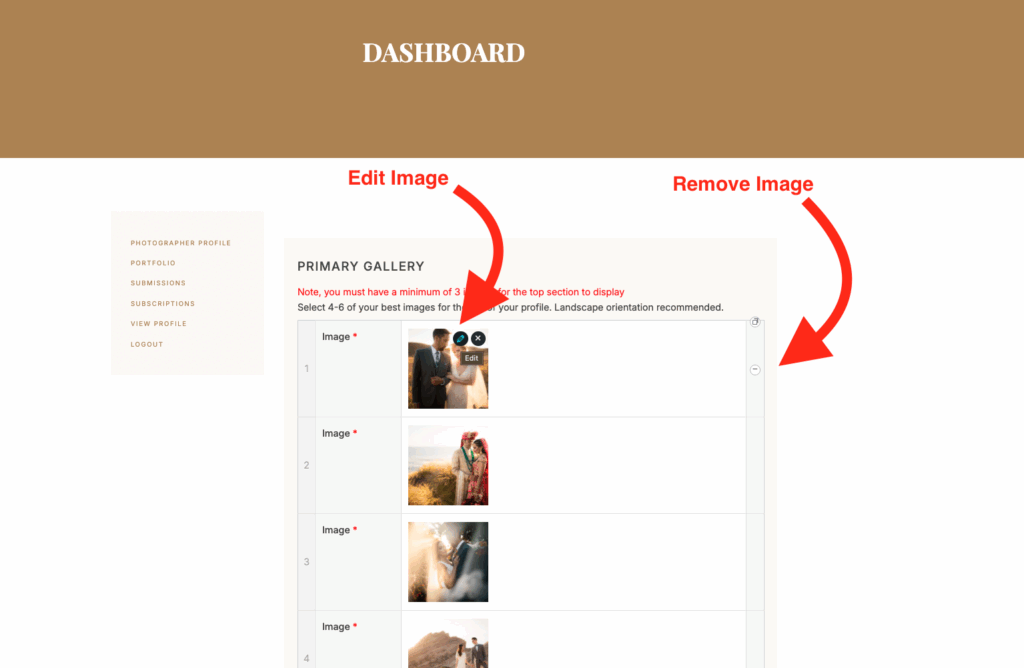
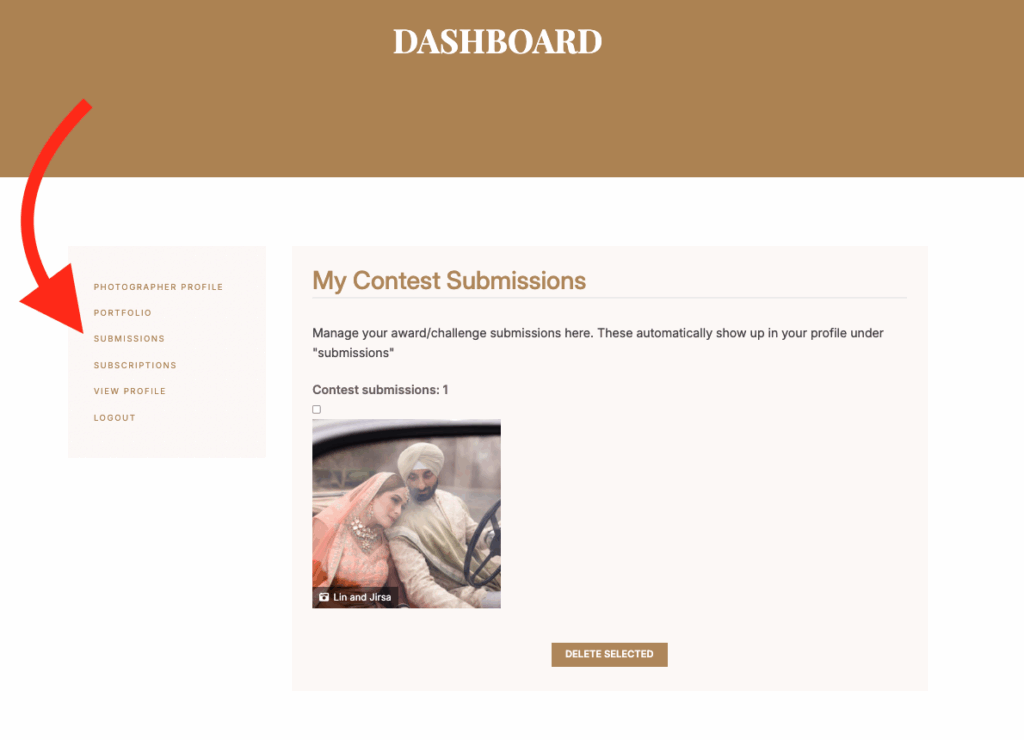
To edit or remove the photos that you’ve submitted to your portfolio, go to your Dashboard and click
“submissions.” Currently, you can only delete images and are unable to modify them.
Whether you’re updating your portfolio or entering a Feature Challenge, this is a great opportunity to amplify your reach and showcase your photography where it matters most. Start tagging your images today and make the most of every upload.
FAQs
Q: Can I add a venue to an image I previously submitted to my profile?
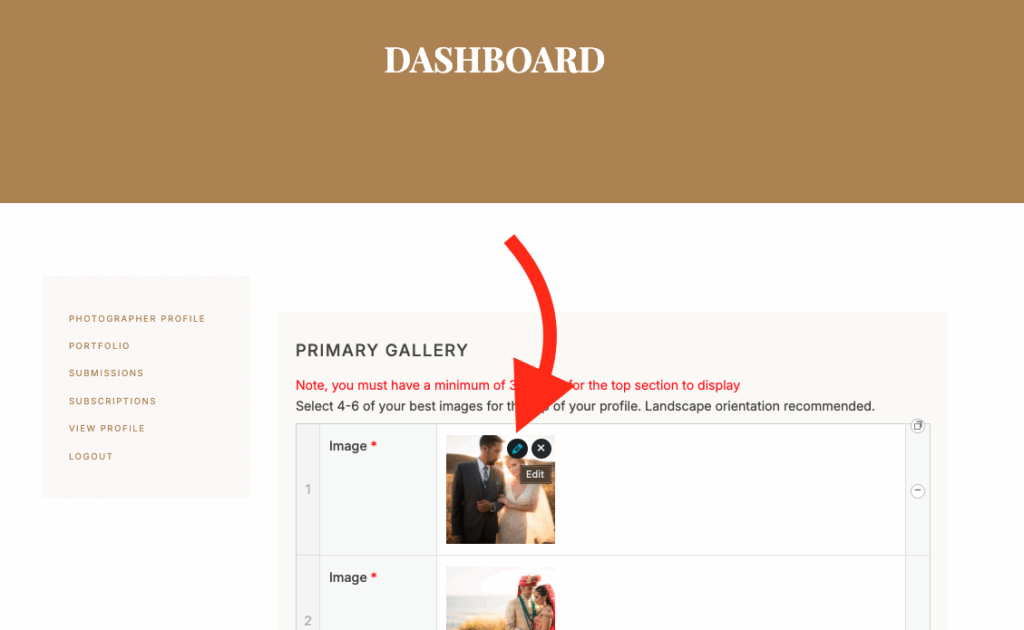
A: Yes! Simply click edit and add the venue
Q: Can I add a venue to an image I previously submitted to a contest?
No, currently you may not edit photos submitted to a contest. You can only delete them if you wish.